
To take advantage of your ipTV subscription on the SS IPTV application, just follow the steps below:
1-install the SS IPTV application
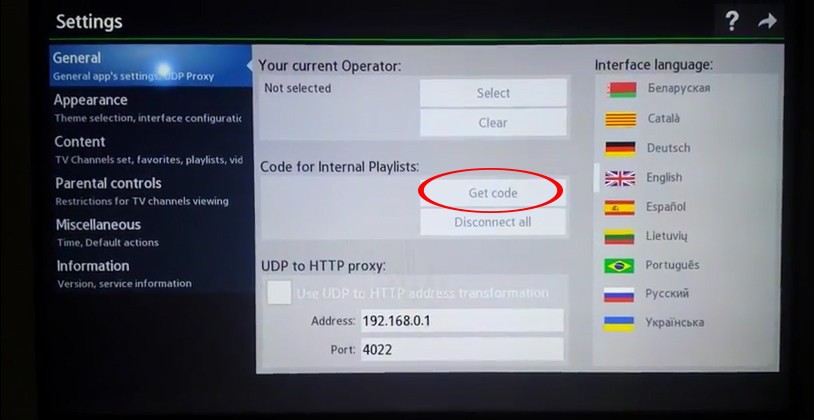
2-access the SS IPTV application on your TV or BOX and retrieve the application code:
3-go to = = > the playlist editor of the SS IPTV app
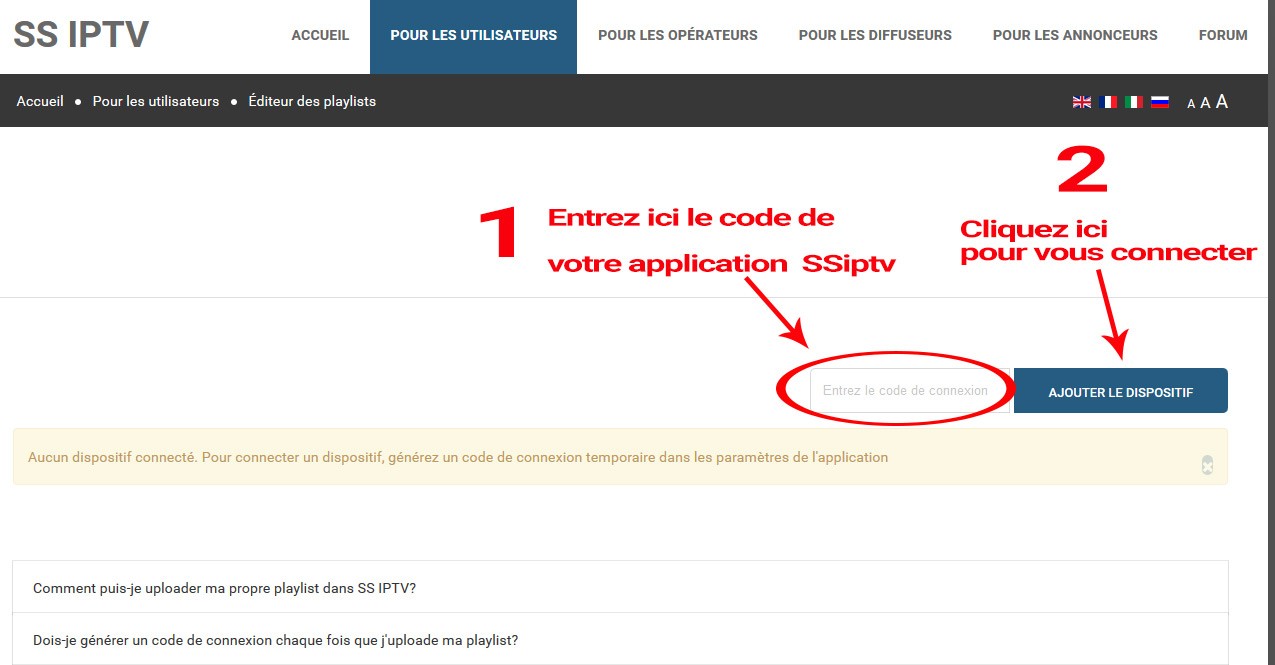
4-after connecting to your TV via the playlist editor, you only have to put the m3u link in “external playlist”, here is a video that shows everything else to do: