
GSE SMART IPTV is a comprehensive user-defined advanced IPTV solution for live and non-live TV / streaming.
With powerful built-in player which supports most formats including RTMP all options. Smarter and smarter M3U playlist analyzer
Support M3U playlist formats, JSON formats, database playlist formats, etc.
In this article will guide you through the instructions for installing your IPTV subscription on your iPad, iPhone or Apple TV (4th generation) & Android Box or Smart phone device. This tutorial is based on a free application called “GSE SMART IPTV PRO” available for free download from Play Store & Apple store.
This GSE IPTV application works without m3u file, you can operate it easily using Xtream-Codes API and your login information. (Which we will provide to you once you order.)
Step one:Install the GSE smart IPTV app (below the links on Apple store and play store):
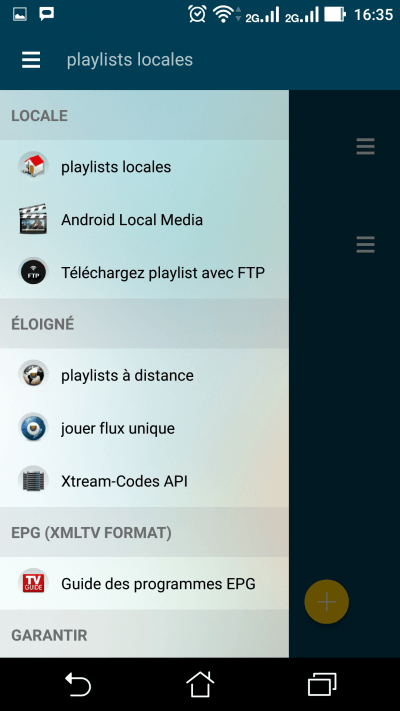
Step two:Launch the application and on the menu on the left click: Xtream-API codes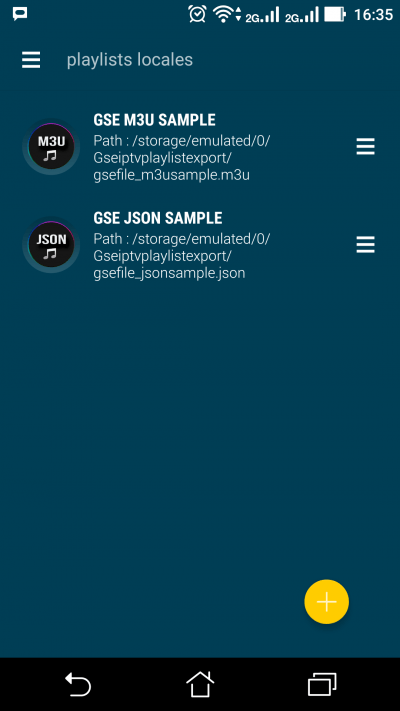
 After click on the icon Add (+) in yellow: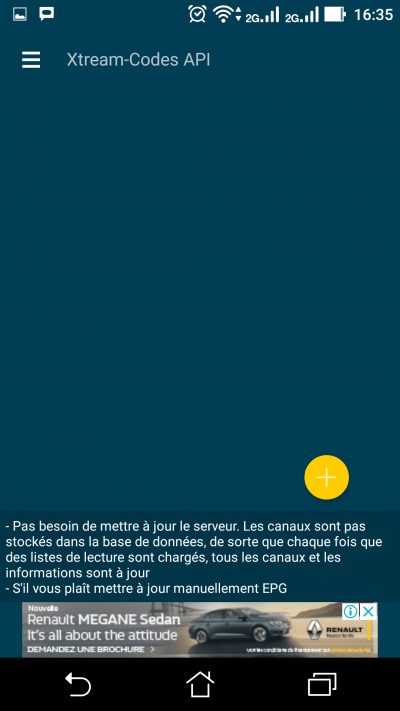
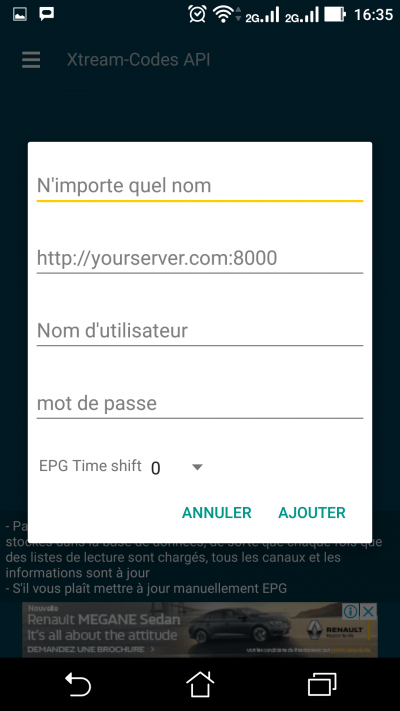 On the form, put the following information: Name: IPTV premium Server URL: http://iptvpro.premium-showtv.org:8789 Username: your-username Password: your-password NB: you will find your password and your username on the link of your m3u file. Example: https://iptvpro……./get.php?username=votre-identifiant&password=Votre-mot-de-passe&type=m3u&output=ts After click Add